Five Step NAIC Aligned AI Workflow Automation for Operations Leaders
8 min readOmniPulse

Workflow automation with AI uses machine learning and language models to handle repetitive, data-heavy tasks that used to need a person watching every step, and it pays off fastest on high-volume, rule-based processes with a reasonable tolerance for error. If that description fits one of your workflows, the first move isn’t buying software. It’s picking one process and assessing it properly before you touch a build.
TL;DR:
- AI workflow automation is most effective for high-volume, rule-based tasks with structured data and a tolerable level of occasional errors.
- Suitable use cases include document data extraction, finance admin, customer support triage, and HR screening, where AI handles repetitive first passes.
- Prioritization relies on scoring processes for AI fit and business impact to identify high-value, manageable pilots and defer low-impact or low-fit tasks.
- Proper workflow redesign and human oversight patterns are essential, with clear roles, decision rules, escalation triggers, and documented acceptance criteria.
- Successful implementation emphasizes prototyping, guardrails, ongoing performance tracking, and correcting flawed processes before automation starts.
Table of Contents
- What AI workflow automation is and when to use it
- High-value use cases and concrete examples
- How to identify and prioritise AI opportunities
- Redesigning workflows and defining human oversight
- Practical five-step implementation framework
- Measure, feedback and scaling
- Common pitfalls, cost traps and practical pro tips
- OmniPulse perspective: why a diagnostic-first approach wins
- Ready to move from framework to roadmap?
- Sources
- FAQ
What AI workflow automation is and when to use it
AI workflow automation combines artificial intelligence (pattern recognition, language understanding, prediction) with automation logic and orchestration tools so a process runs with less manual handling at each step. It’s different from traditional automation, which follows fixed rules with no judgement, and different from a person doing the whole task by hand.
The National AI Centre frames suitability around a simple checklist:
- The task happens often enough that improvements compound.
- The steps are repetitive rather than requiring fresh judgement each time.
- Consistent digital data already exists to work from.
- The process can tolerate occasional errors without serious harm.
AI is a tool for a specific kind of problem, not a default upgrade for every workflow that feels slow.
High-value use cases and concrete examples
The workflows that tend to pay off fastest share a pattern: high volume, structured or semi-structured data, and a clear point where a person can check the output before it matters.
- Document processing and data extraction. AI reads invoices, contracts or forms and pulls out key fields; staff spot-check flagged or low-confidence extractions rather than retyping everything.
- Invoicing, quote drafting and finance admin. AI drafts line items and quotes from historical pricing and job data; finance reviews anything above a set value or with unusual terms before it goes out.
- Customer support triage and ticket routing. AI classifies incoming tickets by intent and urgency and routes them to the right queue; a supervisor reviews exceptions and anything flagged as high-risk.
- HR screening, scheduling and onboarding. AI shortlists applications against defined criteria and schedules interviews or onboarding tasks; a hiring manager makes the actual selection decision.
In each case, AI does the repetitive first pass and a person makes the judgement call that carries real consequences. Small and medium businesses already report using AI this way to automate routine tasks and support decision-making, though the Australian AI ecosystem report also flags data quality and privacy as recurring hurdles worth planning around from the start.
One pattern to note: these use cases succeed when the AI step is narrow and the human check is clearly defined, not when AI is asked to own the whole process end to end.
How to identify and prioritise AI opportunities
Not every slow process deserves an AI pilot. A simple scoring matrix, similar to the approach the National AI Centre sets out, plots AI fit against business impact so you can decide where to spend effort first.
AI fit is scored on volume, repetitiveness and data availability. Business impact is scored on cost saved, revenue protected or risk reduced if the process runs better. Combine the two scores and sort processes into three buckets:
- High fit, high impact: pilot now: the effort is justified and the risk is manageable.
- Low fit or unclear data, high impact: improve the process or the data first, then revisit.
- Low impact either way: defer: there are better uses of your team’s time.
As a worked example, say you’re comparing two candidate processes. Invoice data entry scores high on volume and repetitiveness, has clean digital data from your accounting system, and moderate error tolerance since mistakes get caught at reconciliation: it lands in “pilot now.” A one-off contract negotiation process scores low on volume and repetitiveness, involves judgement calls with real financial exposure, and lands in “defer”: it’s not the kind of task this technology suits well yet.
Redesigning workflows and defining human oversight
Once you’ve picked a process, the workflow itself needs redesigning, not just automating as-is. The National AI Centre’s redesign guidance describes three oversight patterns that keep people accountable while AI does the repetitive work.
| Oversight pattern | How it works | Best suited to |
|---|---|---|
| Check before acting | A person approves the AI’s output before it takes effect | High-stakes or irreversible actions |
| Watch while acting | AI acts and a person monitors in real time, able to intervene | Time-sensitive processes with moderate risk |
| Spot-check and exception handling | AI acts independently; a person reviews a sample and all flagged exceptions | High-volume, low-risk, well-understood tasks |
A short workflow spec should document the flow itself, who owns each step, the decision rules AI follows, who can pause or override the system, and the acceptance criteria that define a good result. Capturing every edit a person makes to an AI output, and why, builds the dataset you’ll need to improve accuracy over time.
Pro Tip: Write the escalation rule before you write anything else: define exactly what triggers human review, not just who reviews it.

Practical five-step implementation framework
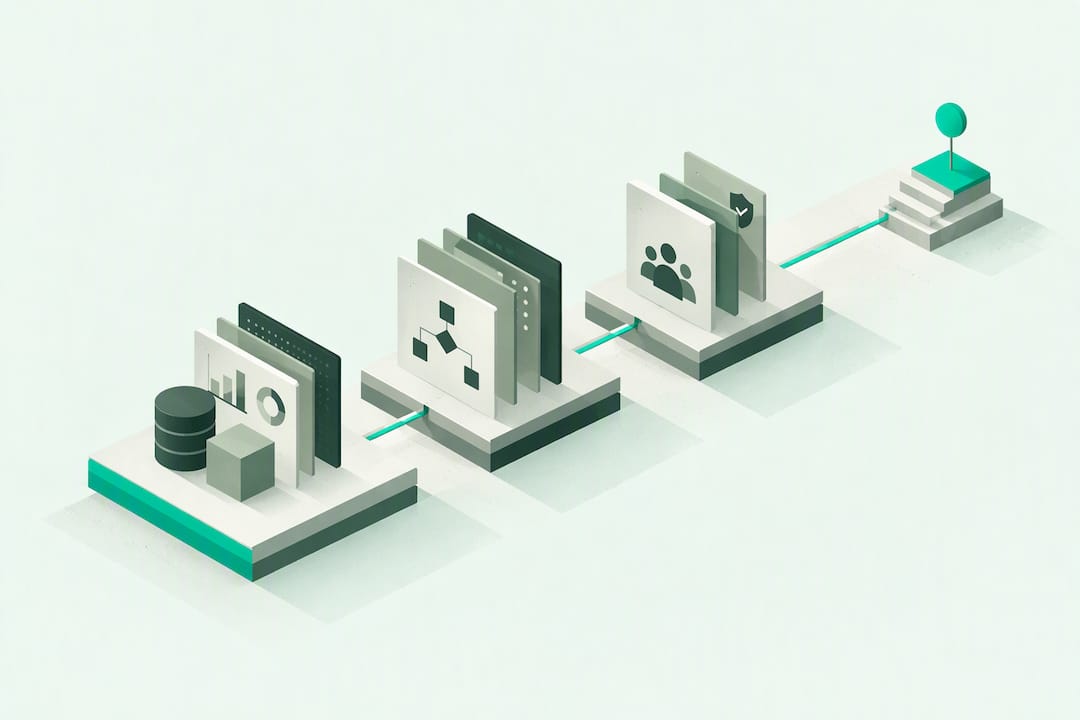
A structured rollout beats an ad hoc one. Five phases, each with a clear owner and exit criteria, keep momentum without skipping the checks that prevent expensive mistakes.
- Assess. Operations lead scores candidate processes against the AI fit and impact matrix and picks one pilot.
- Design. Process owner and a technical lead map the redesigned workflow, oversight pattern and acceptance criteria.
- Prototype and pilot. The team builds a low-cost prototype, before committing to full development.
- Deploy. IT and the process owner roll out with guardrails, training and a documented rollback plan.
- Monitor and iterate. The team tracks KPIs, reviews edits and decides whether to adjust, expand or retire the pilot.
Low-cost prototyping methods reduce risk before any code is written:
- Paper prototype the workflow with sample data and walk it through with the team.
- Run a stakeholder review to catch obvious gaps or unrealistic assumptions.
- Test exception cases deliberately, not just the easy examples.
- Load test at expected volume before go-live, not after.
Deployment guardrails matter as much as the build itself: define who can pause the system, what triggers a rollback, and what training staff need before the tool touches real work. A rollback isn’t a failure, it’s a safety valve.
Measure, feedback and scaling
Once a pilot is live, the numbers tell you whether to iterate, scale or stop. Useful KPIs include accuracy against a defined standard, cycle time compared with the manual process, the rate of manual edits required, the exception rate, and any measurable customer impact such as complaints or satisfaction shifts.
- Track accuracy and manual edit rates weekly during the pilot phase.
- Review exception cases in detail: a rising exception rate often signals a data or scope problem, not a model problem.
- Report cycle time and cost impact to stakeholders monthly once the pilot stabilises.
- Treat a falling edit rate over time as the clearest sign the system is ready to scale.
A consistent finding across NAIC and CSIRO guidance is that capturing why humans edit AI output is one of the most reliable ways to improve the system, because it turns everyday corrections into training signal rather than wasted effort.
Common pitfalls, cost traps and practical pro tips
The most expensive mistake is automating a broken process: AI will just make bad steps happen faster. Unclear ownership is a close second, since nobody notices drift in accuracy if no one is accountable for the outcome. Poor or inconsistent source data is the third, and it tends to surface only after go-live.
Cost traps usually come from skipping the prototype stage and building the full system before testing exceptions, or from underestimating the ongoing review effort needed to keep quality up.
- Fix the process before you automate it, not after.
- Name one accountable owner for every pilot, not a committee.
- Budget time for ongoing review, not just the initial build.
Pro Tip: Run your first pilot on a process you already understand cold. Novel processes and novel technology together double the risk.
OmniPulse perspective: why a diagnostic-first approach wins
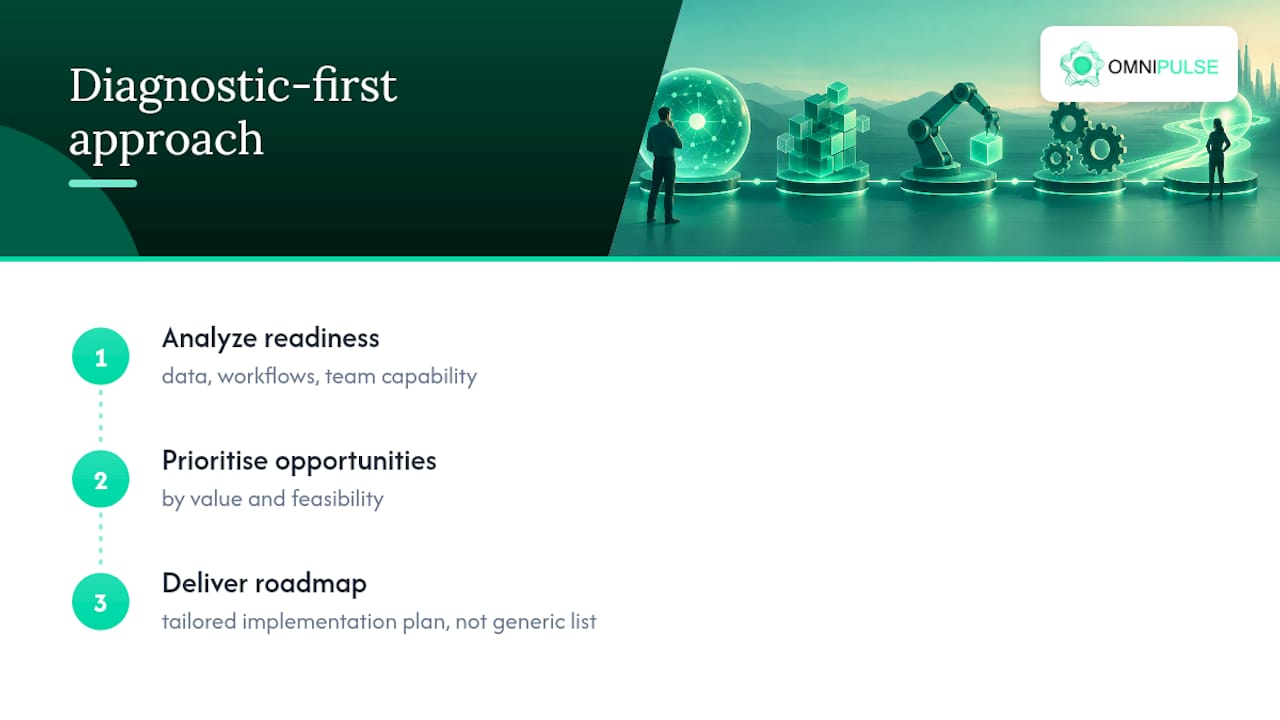
Most AI pilots fail not from bad technology but from picking the wrong process to start with. A Business Diagnostic Process can help fix that ordering problem before any build begins by analyzing data, workflows and team readiness before recommending anything, prioritising opportunities by value and feasibility, and producing a tailored roadmap rather than a generic best-practice list.
Skipping diagnosis and jumping straight to tools is how businesses end up automating the wrong thing well.
— Brodie S
Ready to move from framework to roadmap?
Reading a framework gets you halfway. A strategy engagement can get you the other half: a tailored roadmap built on your own data, workflows and team readiness, prioritised by value rather than guesswork. Some firms guarantee to uncover substantial hidden revenue opportunities through their Business Diagnostic Processes, and keep working at no extra cost until they do.
If you’d rather start smaller, book a 30-minute AI readiness session to talk through one process before committing to anything larger. For teams already building internal AI capability, partners like benchmarked and Autonomousfirm offer useful perspectives on governance and change management alongside a strategy engagement.
Sources
The National AI Centre’s identify-opportunities guide, its redesign-your-workflow guidance, the Business and CSIRO’s responsible AI research informed the framework above.
FAQ
Can AI be used for workflow automation?
Yes, AI is well suited to automating tasks that are frequent, repetitive and backed by consistent digital data, according to National AI Centre guidance. It works best paired with human oversight rather than running fully unsupervised on high-stakes decisions.
Which AI is best for workflow automation?
There’s no single best tool: the right choice depends on the task, with options ranging from natural language processing for document work to machine learning models for prediction and classification. Many businesses already have AI features inside software they use daily, so it’s worth checking existing tools before buying something new, as business.gov.au suggests.
Can ChatGPT automate tasks?
ChatGPT and similar language models can draft text, summarise documents and answer routine queries, which supports automation of tasks like ticket responses or first-pass document review. It still needs human review for anything with real financial, legal or customer impact.
How do I learn AI workflow automation?
Start with one process, score it against volume, repetitiveness, data availability and error tolerance, then prototype cheaply before building anything, following the approach in National AI Centre guidance. Businesses that want a faster, structured path can also work through a strategy engagement that maps opportunities and builds the roadmap directly.